Sample Application Screens
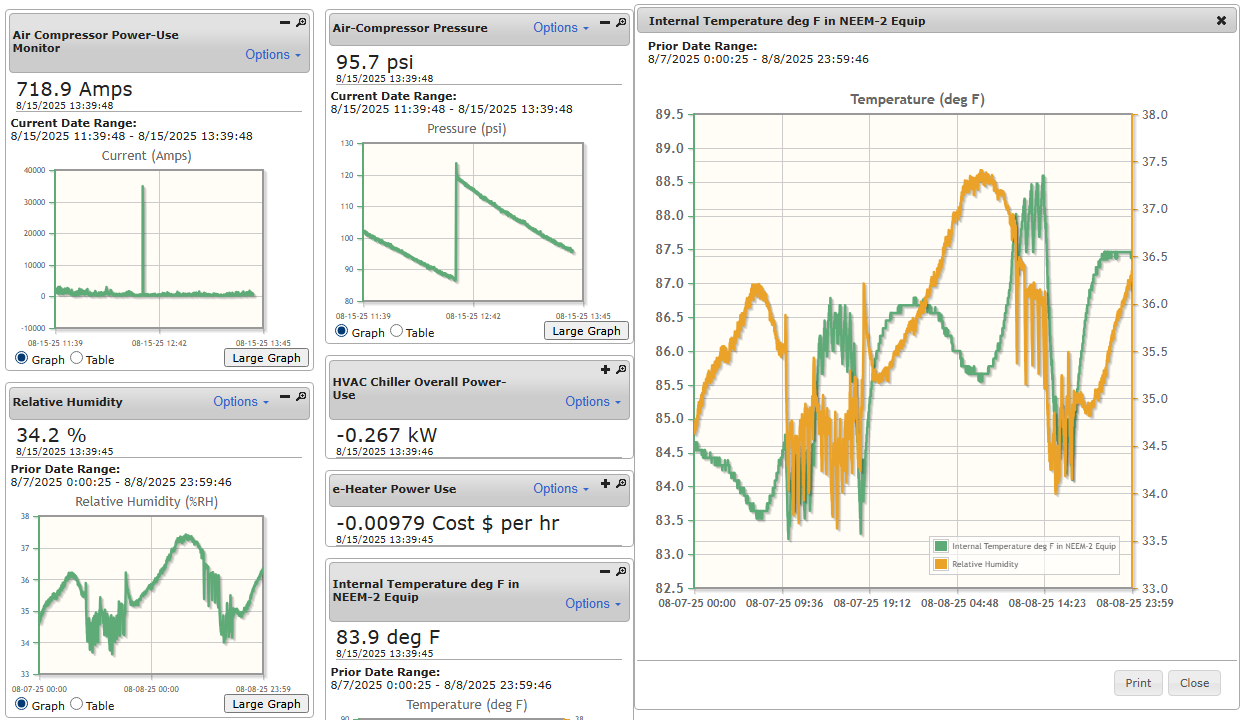
NEEM-2 Data Viewing Web page enables many ways to view and compare measured sensor data.
The NEEM-2 Web page for Data Viewing provides several options to enable the user to view and compare sensor measurements for different time period. Images above and below show sample date viewing screens
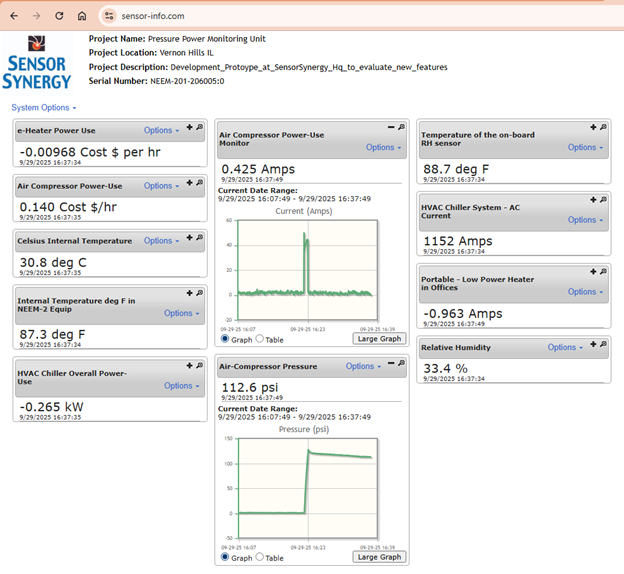
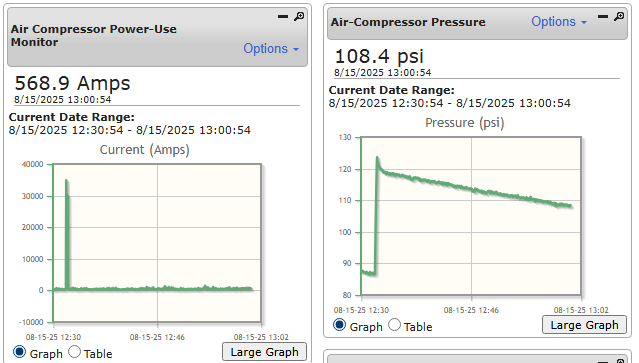
Browser data display screen for NEEM-2 sensor measurements comparing Air-Compressor Power-Use and Header-Pipe compressed air pressure. Data measured during a weekend with no production users - only leakage drain on system.
Using a standard Web browser, users can view sensor measurement data. The images on this page show sample browser screens displaying several sensor measurements. The graphs show a summary of data measured during a user selected, prior time period. Using the "View Current Data" choice under the "Options" button on the browser screen, the user can decide to view the sensor measurements from the last 30 minutes to the last 48 hours. Older data can be retreived and viewed with the "View Prior Data Option". The current sensor measurements are displayed just below the gray box on each portlet and are updated approximately every 30 seconds.